Windows环境下部署ComfyUI
ComfyUI是一个用户界面工具,专为Stable Diffusion等深度学习图像生成模型设计。它通过直观的节点式界面,允许用户轻松地构建和管理图像生成工作流,而无需深入了解编程。ComfyUI以其易用性和强大的自定义功能,使得非技术用户也能便捷地使用复杂的AI模型进行创作。

1.下载ComfyUI压缩包
ComfyUI官方提供了一个压缩包,只需要解压后,把模型文件复制到相应文件夹,就可以运行ComfyUI了,我们先下载ComfyUI的压缩包。
GitHub地址:https://github.com/comfyanonymous/ComfyUI
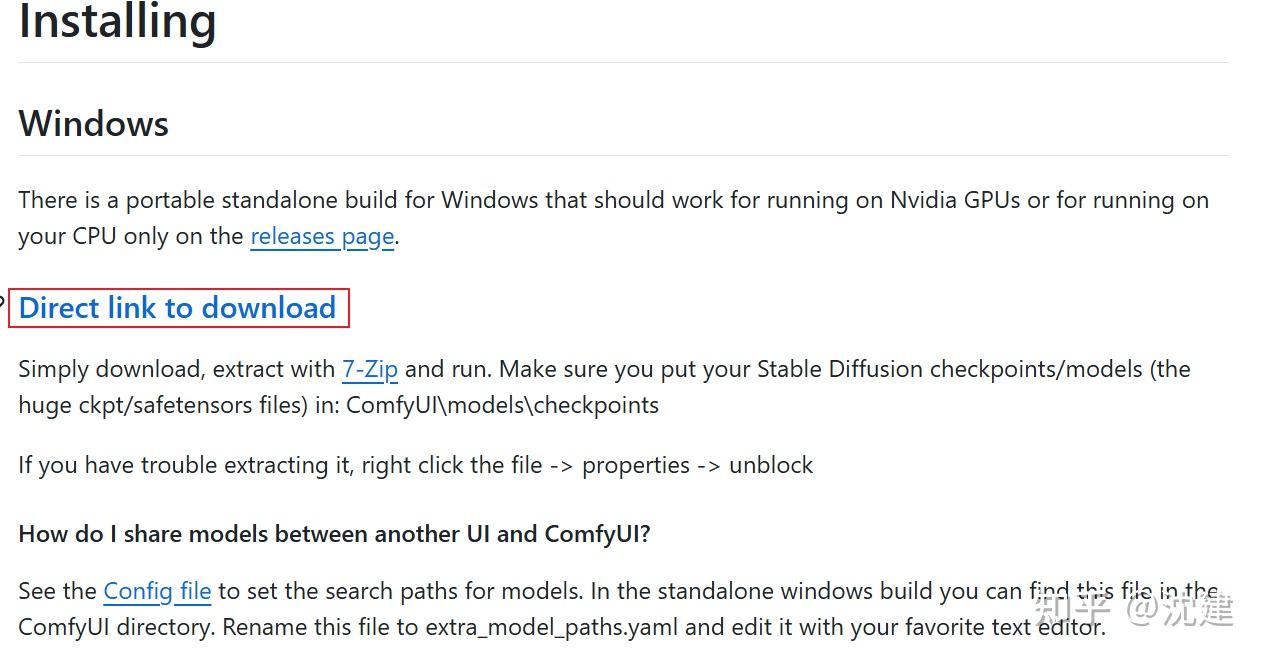
点击下载链接,即可下载压缩包,下载后将压缩包解压。
2.下载Stable Diffusion 3.5模型文件
注:在Huggingface平台上下载需要注册并获取下载授权,且在国内下载速度很慢,推荐在阿里云魔搭平台下载
Stable Diffusion 3.5 Large下载地址:【Huggingface】【阿里云魔搭(推荐)】
Stable Diffusion 3.5 Large Turbo下载地址:【Huggingface】【阿里云魔搭(推荐)】
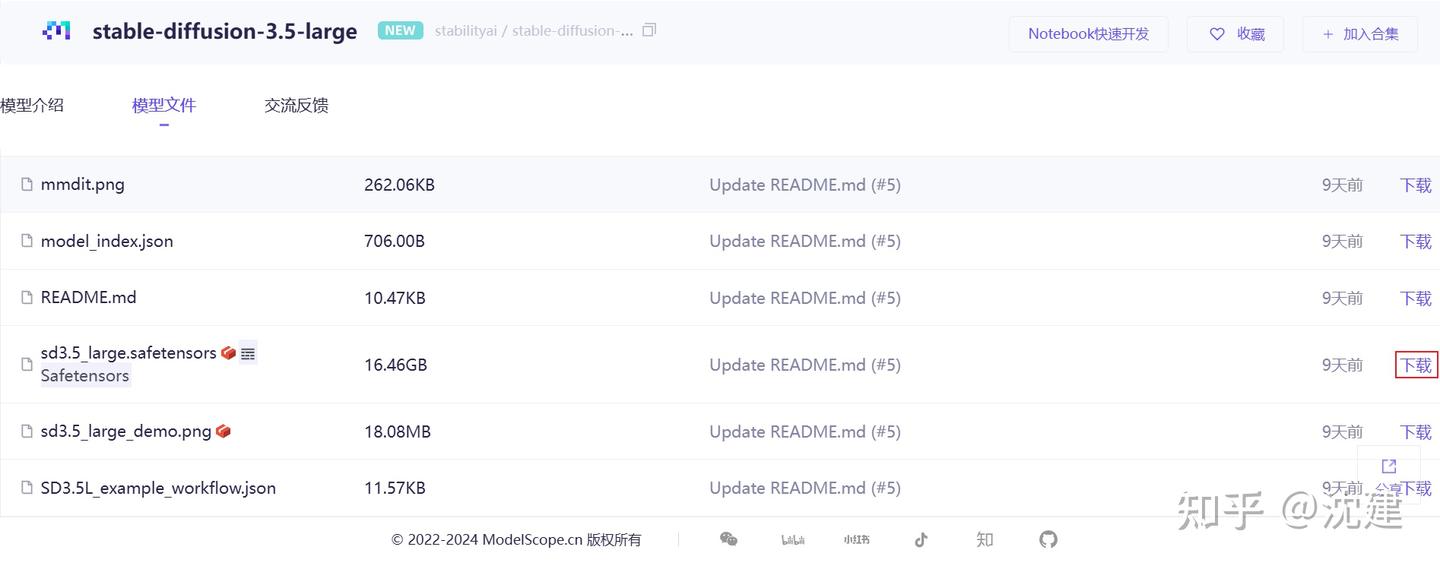
模型文件下载后,移动到刚刚解压的models/checkpoint文件夹中。
版本的区别:
Stable Diffusion 3.5 Large:该基础型号拥有 80 亿个参数,质量卓越,响应迅速,是 Stable Diffusion 系列中最强大的型号。该型号非常适合 1 百万像素分辨率的专业用例。
Stable Diffusion 3.5 Large Turbo:Stable Diffusion 3.5 Large 的精简版仅需 4 个步骤即可生成高质量图像,且具有出色的快速依从性,速度比Stable Diffusion 3.5 Large 快得多。
3.将clip_g.safetensors、clip_l.safetensors和t5xxl_fp16.safetensors下载到 models/clip 文件夹中
clip_g.safetensors下载地址:【Huggingface】【阿里云魔搭(推荐)】
clip_l.safetensors下载地址:【Huggingface】【阿里云魔搭(推荐)】
t5xxl_fp16.safetensors下载地址:【Huggingface】【阿里云魔搭(推荐)】
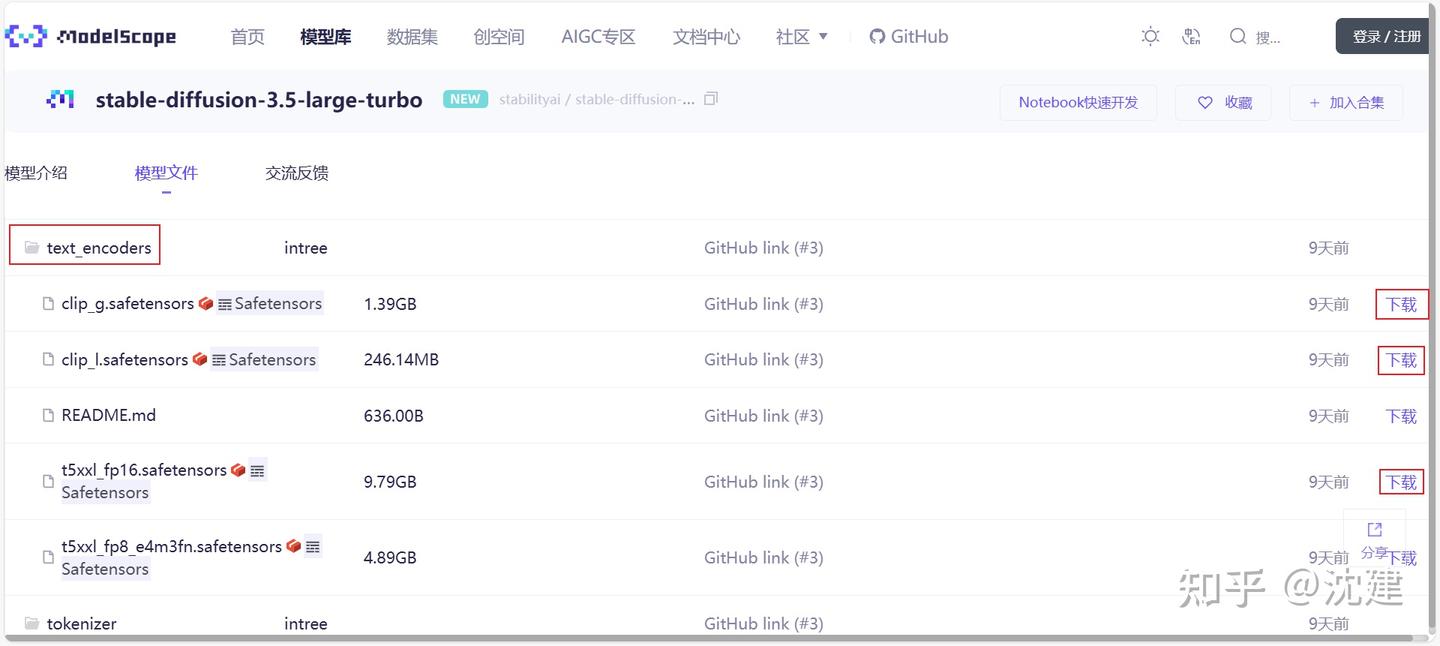
注意:低显存请选择量化版 t5xxl_fp8_e4m3fn.safetensors
4.安装中文插件
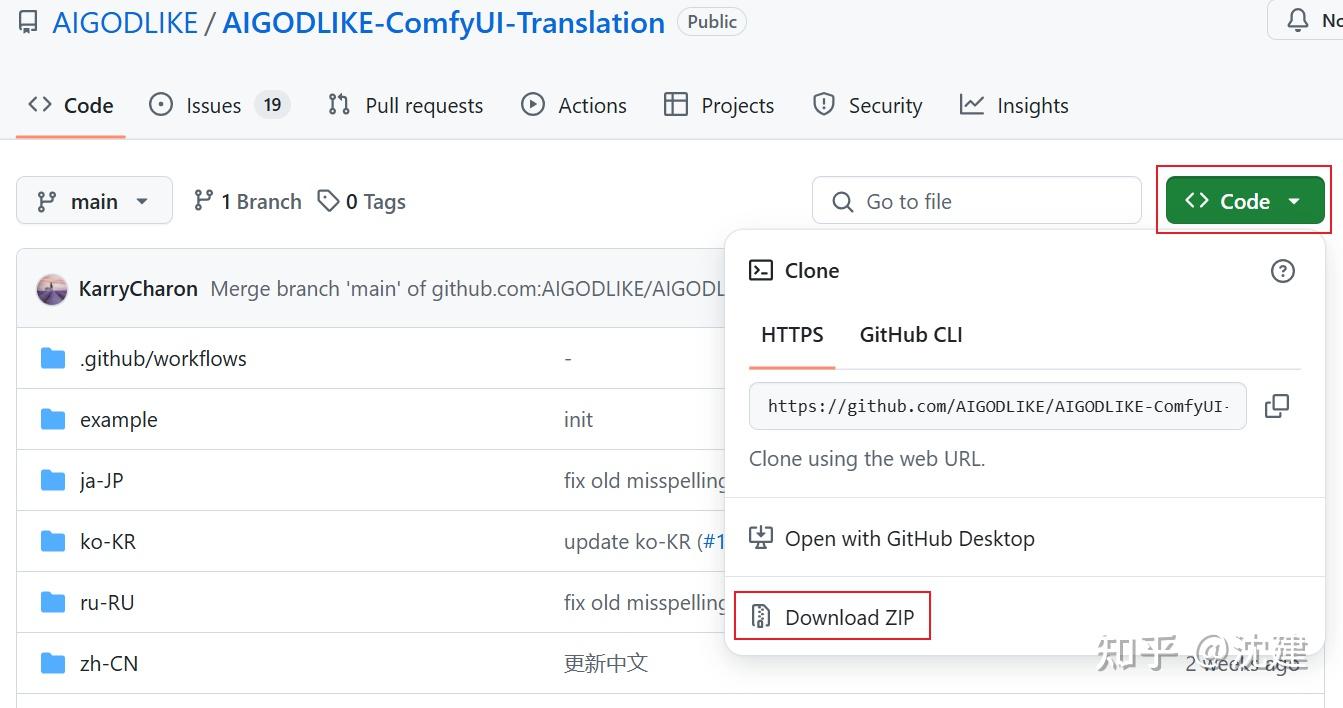
下载后,将解压的文件夹移动到ComfyUI\custom_nodes 目录中
5.安装ComfyUI manager
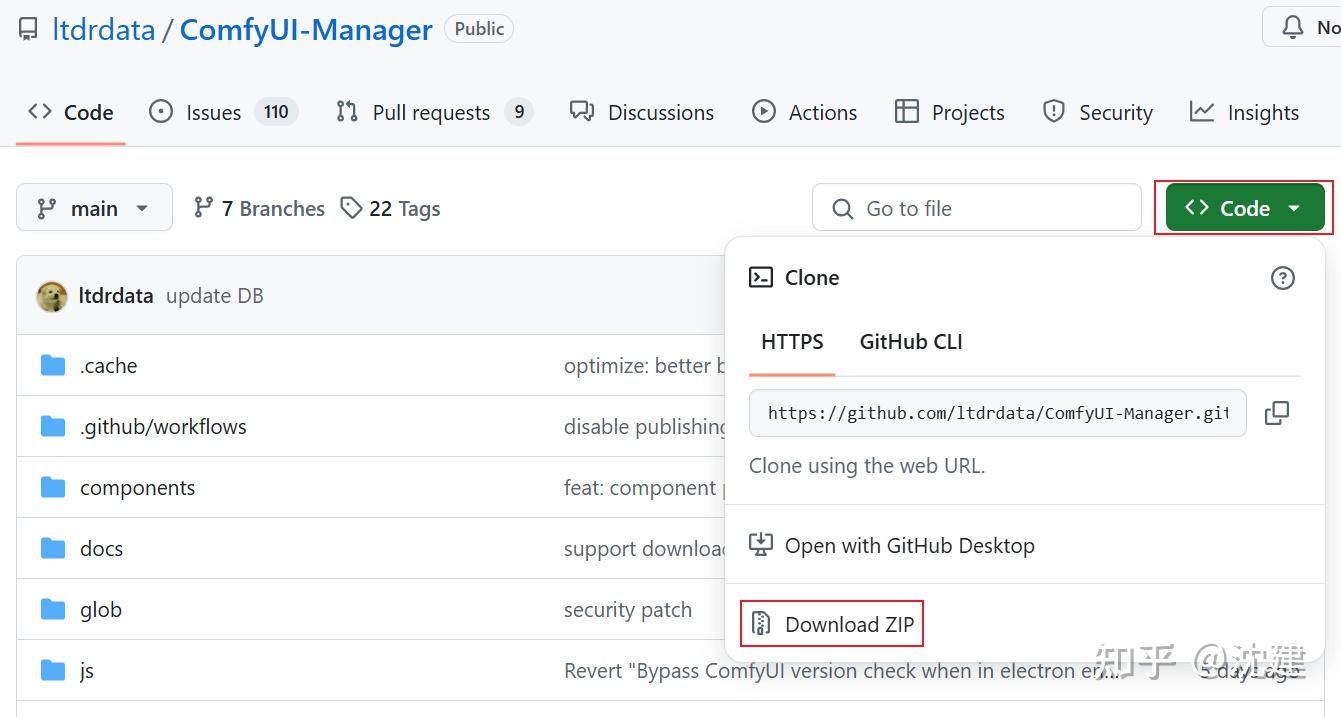
下载后,将解压的文件夹移动到ComfyUI\custom_nodes 目录中
6.安装git Windows版本
下载并安装Git for Windows,链接:Git - Downloading Package
7.设置Windows文件夹长度
由于Windows限制了文件名长度,所以某些情况下运行git会报错,需要进行设置。
以管理员身份运行Powershell:
New-ItemProperty -Path "HKLM:\SYSTEM\CurrentControlSet\Control\FileSystem" `
-Name "LongPathsEnabled" -Value 1 -PropertyType DWORD -Force
在 Git 中启用长文件名支持,在Powershell终端输入:
git config --system core.longpaths true
8.下载示例工作流程
示例工作流程:【Huggingface】【阿里云魔搭(推荐)】
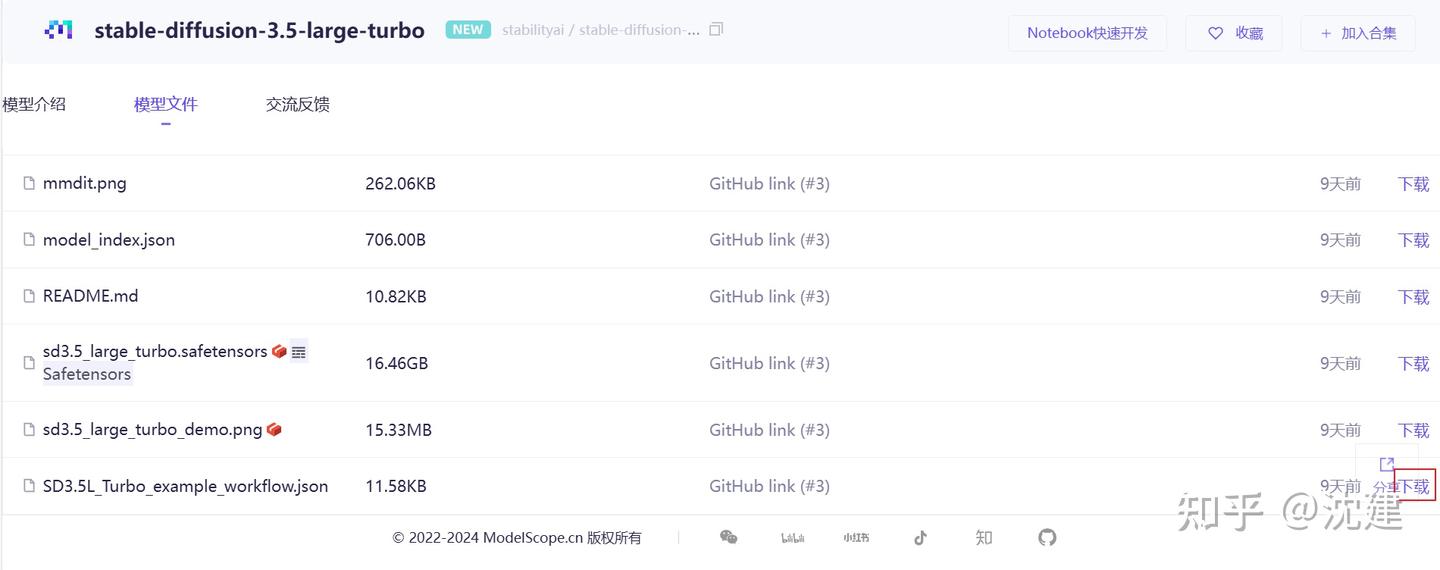
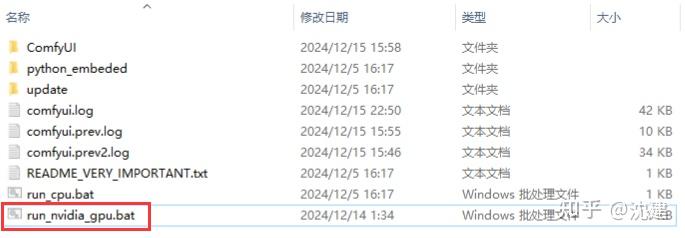
然后,打开ComfyUI文件夹,点击运行run_nvidia_gpu.bat即可启动ComfyUI。
如果电脑没有显卡,则运行run_cpu.bat
将语言设置为中文:
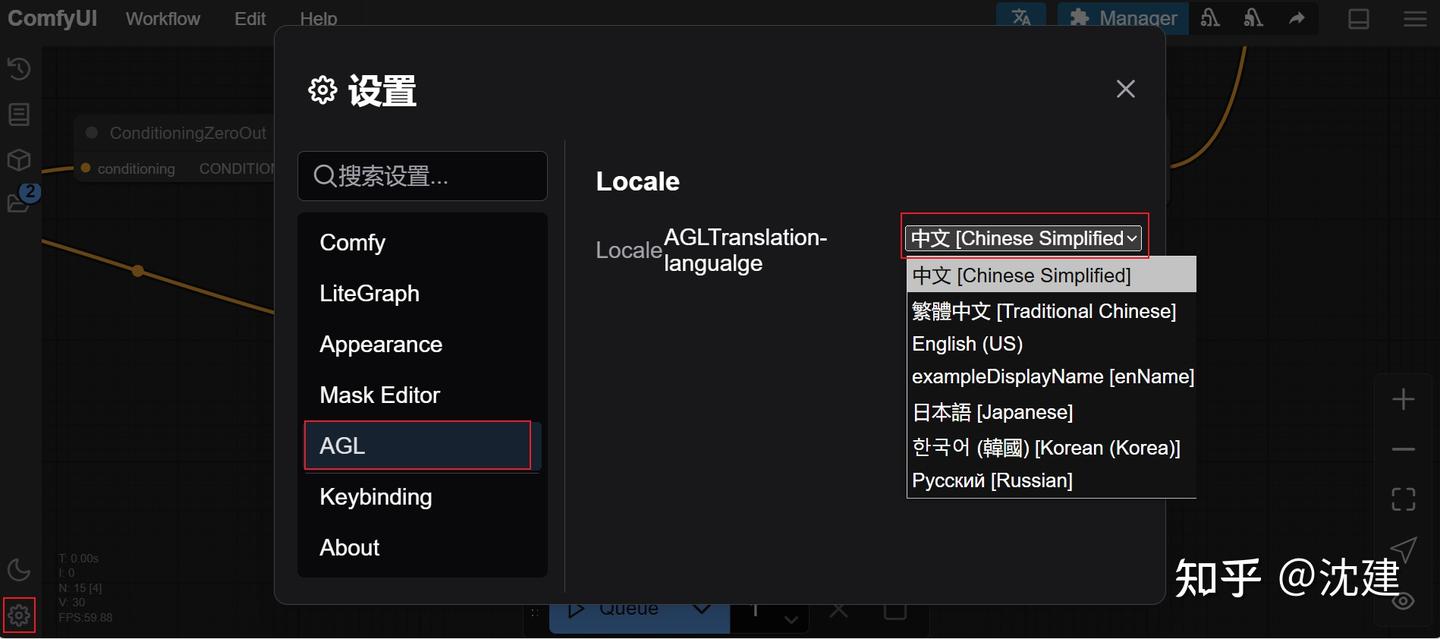
然后将示例工作流程拖入浏览器窗口,即可进行文生图创作了。
今天也要加油鸭